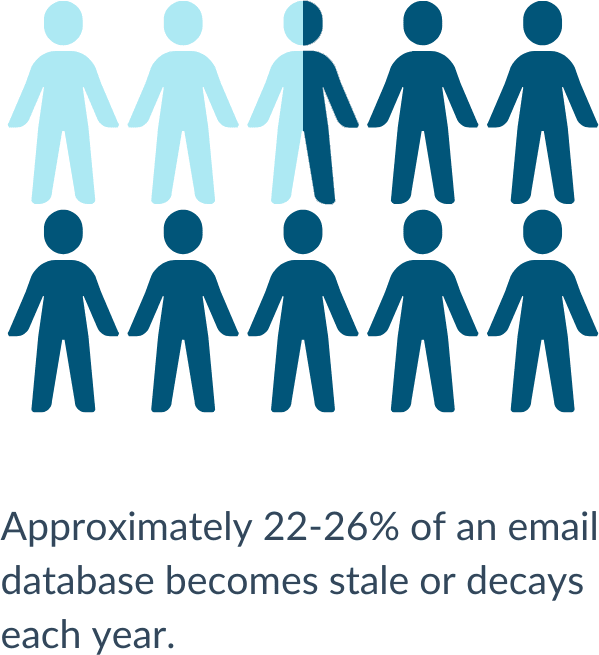
As your HubSpot renewal approaches, it’s the perfect time to review and clean your contact database. A cluttered or outdated database can increase your HubSpot costs and hinder the effectiveness of your campaigns.
The safest place to start a purge of your HubSpot contact database is by setting up and reviewing lists:
-
Stale/unengaged contacts
-
Hard bounced contacts
-
Unsubscribed contacts
-
When relevant, out-of-area or international contacts
If your Marketing Hub account uses marketing contacts, status and billing dates also affect renewal costs. Check those details before assuming a smaller database will lower your bill.
If you're also reviewing how your team uses HubSpot, read our guide to keeping a clutter-free HubSpot portal.
Why Cleaning Your Database Is Essential Before HubSpot Renewal
For Marketing Hub Starter, Professional, and Enterprise accounts that use marketing contacts, the contact tier is based on the contacts you designate as "marketing contacts." A contact can remain in HubSpot as "non-marketing" and stay available for sales or service work. Review HubSpot’s marketing-contact billing guidance and confirm that the feature applies to your account. Legacy accounts may use a different model.
Build the review lists mentioned above to identify the contacts you no longer plan to market to. Then compare the total number and your remaining marketing contacts with the tier and rates shown in your HubSpot account. Status changes take effect on the account’s next update date, and a lower contact tier takes effect at renewal. HubSpot asks customers to request a contact-tier downgrade or removal at least five business days before renewal, so begin the review early.
Database cleanup can make it easier to target the contacts you intend to reach and understand the records behind your reports. It does not guarantee a particular lift in email engagement or a fixed amount of savings.
Contact records can become outdated for several reasons:
- People changing jobs or email providers
- Businesses closing or merging
- People abandoning old personal email addresses
- Typos and invalid emails entering the database
Here are the key benefits of cleaning your database before renewal:
- Supports careful email targeting: Review hard bounces and disengaged contacts so you are not continuing to send to contacts that no longer engage. HubSpot recommends segmenting outdated or unengaged contacts and suppressing or deleting them. Our usual first step for bounced or unsubscribed contacts is to set them as "non-marketing contacts."
- Improves reporting clarity: Current, consistently entered data makes it easier to understand campaign and contact reports.
- Helps manage contact-tier costs: Identify contacts you no longer plan to market to, confirm their status and timing, then compare the remaining marketing contacts with your account’s tier. Deletion is not required just to change marketing-contact status.
- Supports useful segmentation: Better-organized records help you select the right audience for each campaign and follow-up.
Step-by-Step Guide to Review HubSpot Contacts
We start with active lists that show which contacts merit attention, then review duplicates and contact status before deciding whether any record should be deleted.
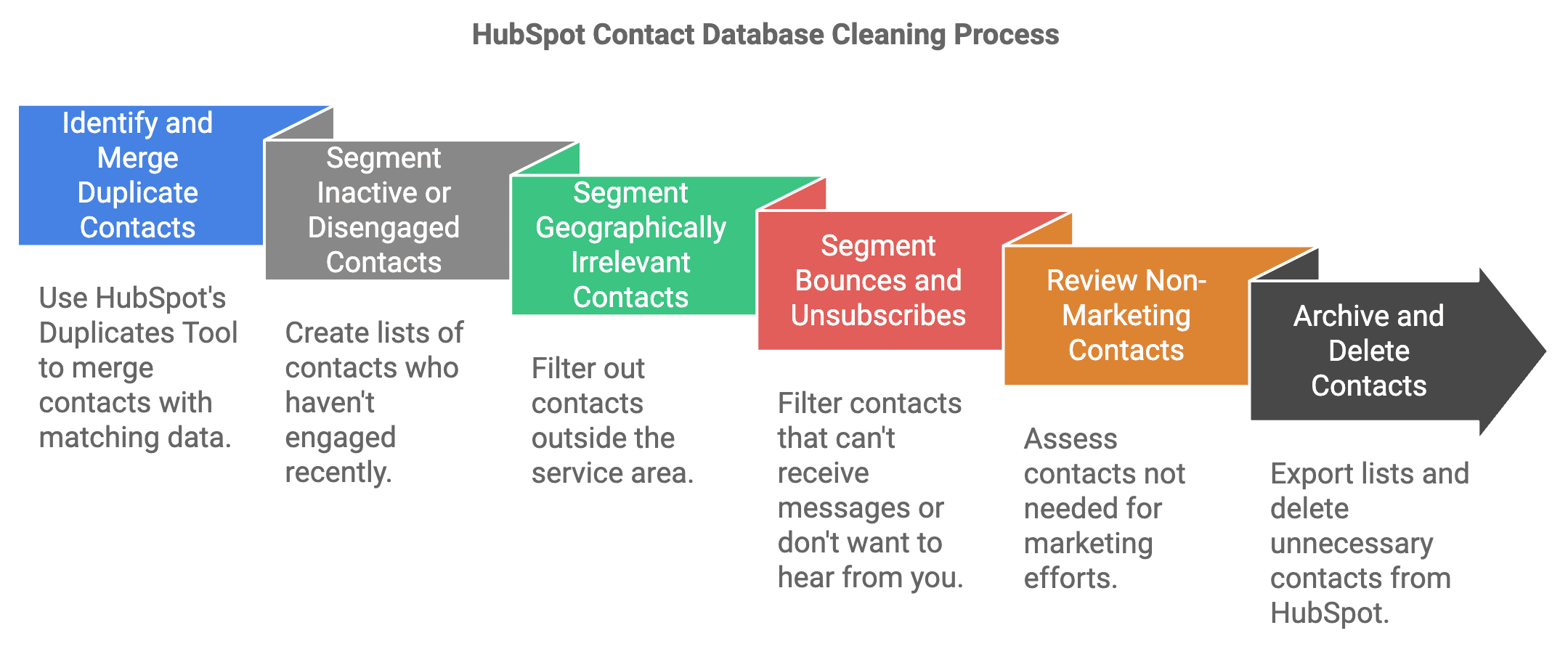
Step 1: Identify and Merge Duplicate Contacts
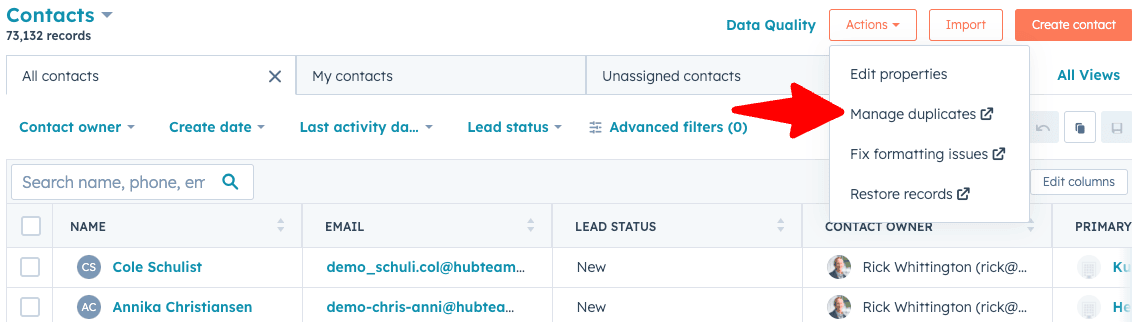
Duplicate contacts can scatter activity across records or lead to duplicate messages. If your subscription includes it, use HubSpot’s Duplicates Manager to surface possible matches, then review each pair manually before merging. HubSpot compares contact properties such as name, email, phone, and company. A suggested match still needs manual confirmation that the records belong together.
Step 2: Segment Inactive or Disengaged Contacts
Use an active list to flag contacts with little recent activity. We normally start with contacts who have not visited the company website or engaged with an email in the past year and are not associated with an active deal. Treat that list as a review queue, not an automatic deletion rule. Check the contact’s owner, customer status, deal history, and other relevant activity before deciding whether to retain, suppress, set non-marketing, or delete the record. If the contact is eligible to receive marketing email, a focused re-engagement campaign may help you confirm whether they still want to hear from you.
Step 3: Segment Geographically Irrelevant Contacts
If you only sell in a defined area, create an active list of contacts outside that service area. We don’t sell outside North America, so we use a list to identify international contacts. Review the contacts before changing their status or deleting them, because an out-of-area contact may still be a customer, partner, or useful sales relationship.
Step 4: Segment Bounces and Unsubscribes
Create active lists for hard bounces and unsubscribed contacts so the team can review them. Our recommended approach is to set these contacts as non-marketing and keep their records in HubSpot. Marketing contact status affects billing eligibility, but it does not change a contact’s email subscription preferences. Keep the unsubscribe status in place and exclude those contacts from marketing sends. HubSpot’s contact-cleanup guidance also explains how to segment and suppress contacts for email deliverability. For more on the email side, see our guide to improving email deliverability in HubSpot.
Step 5: Review Non-Marketing Contacts
Review the active list of non-marketing contacts too. Some records belong in the CRM for service, sales, or operational reasons even when they are not part of active marketing. Confirm why the record is there, who owns it, and whether its information still needs to be maintained.
Step 6: Combine Review Lists and Delete Only When Needed
Combine the stale, bounced, unsubscribed, and when relevant, out-of-area lists into one active review list. This will deduplicate the list. A contact that meets more than one condition then appears once.
Our guidance is to export lists containing all HubSpot properties before you delete the contacts. Keep these lists on a server. And also note that deleting a list does not delete its contacts.
HubSpot offers restorable contact deletion for up to 90 days and permanent deletion that cannot be undone. Before deleting records, review the associated history and follow your organization’s data-retention process. See HubSpot’s current contact-deletion options.
Is Deleting Unsubscribed Contacts Safe?
If a contact unsubscribes, keep that subscription preference in place. We usually set the contact to "non-marketing" status and retain it, so the contact history remains available if the person returns or changes jobs.
HubSpot says a restorable deletion can restore subscription preferences when the record is restored or recreated with the same email address. A permanent deletion does not restore those preferences if the contact is recreated. See HubSpot’s explanation of restorable and permanent deletions for more information.
Best Practices for Maintaining a Clean HubSpot Database
Now that your contact database is clean, how do you keep it that way? Here are some tips.
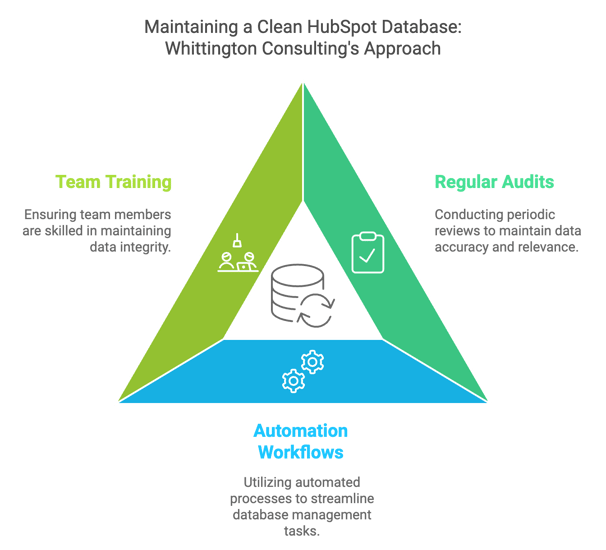
1. Implement Regular Audits
Cleaning your database should not be a one-time task. Set a recurring schedule, such as monthly or quarterly, to review the active lists and correct or remove records when there is a clear reason.
💡 Pro Tip: Create saved lists for inactive contacts, duplicates, unsubscribes, and bounced emails so you can easily monitor them during your regular audits.
2. Use Workflows for Automation
HubSpot workflows can flag records and notify the right person, which helps the team keep up with regular review. Use a person to confirm a change to a contact’s marketing status, an unsubscribe, a merge, or a deletion.
💡 Possible Automation Workflow Use Cases:
- Add contacts who meet an inactivity rule to a review list for a person to assess.
- Notify the sales owner when a contact associated with an active deal has not had recent activity.
- Route contacts with missing or inconsistent properties to a data-quality review list.
3. Keep Your Team Trained and Aligned
Ensuring that everyone on your marketing and sales team follows the same data-entry standards will help keep your database clean over time. Inaccurate or incomplete contact details and inconsistent data tracking practices can quickly lead to a cluttered database. HubSpot team training can help people understand the properties and processes they use.
💡 Tips for Team Training:
- Establish clear data entry guidelines.
- Train your team on HubSpot’s contact properties and the importance of keeping records up to date.
- Encourage the regular use of HubSpot’s duplicate contact tool.
Common Mistakes to Avoid When Cleaning Your Database
While database cleaning is useful, a few common mistakes can damage the records you need or make the next audit harder:
- Deleting too aggressively: Check contact ownership, customer status, and deal history before deciding that a record has no ongoing use.
- Leaving stale records unreviewed: Keep the lists active and revisit them on a regular schedule so the team can act when contact information or status changes.
- Automating a final decision: Use workflows to flag records or notify an owner. Review a contact before an automatic unsubscribe, status change, merge, or permanent deletion.
- Keeping an unsecured export: Before deleting contacts, export the list to a file and store the file securely with limited access.
- Leaving deletion rights too broad: Limit who can delete contacts so records are not removed accidentally.
How a Clean Database Improves HubSpot Performance and ROI
A clean database gives marketing and sales a clearer view of the contacts they are working with. Review whether the right contacts are set as "marketing contacts," whether records are still accurate, and whether duplicate or stale data is affecting the reports your team uses.
Clean Your Database Before HubSpot Renewal for Maximum Impact
The goal is to keep the contacts you intend to market to correctly designated and preserve useful records for the people who need them. Start with review lists, check duplicates and contact history, and change marketing-contact status before considering deletion. Then confirm the resulting count, account update date, contact tier, and renewal timing in HubSpot.
Last updated: September 2026